Hi! Long time no see. Let's try this full month to manage all aspects of Shutter speed using Shutter Priority Mode, which can help us focus only on this topic. If photography had a relationship status, mine with shutter speed would be "It's Complicated."
Let me tell you a story about the day I learned how it works. My biggest mistake was learning it when I was standing in front of beautiful sea waves with a camera and absolutely zero understanding of what I was doing.
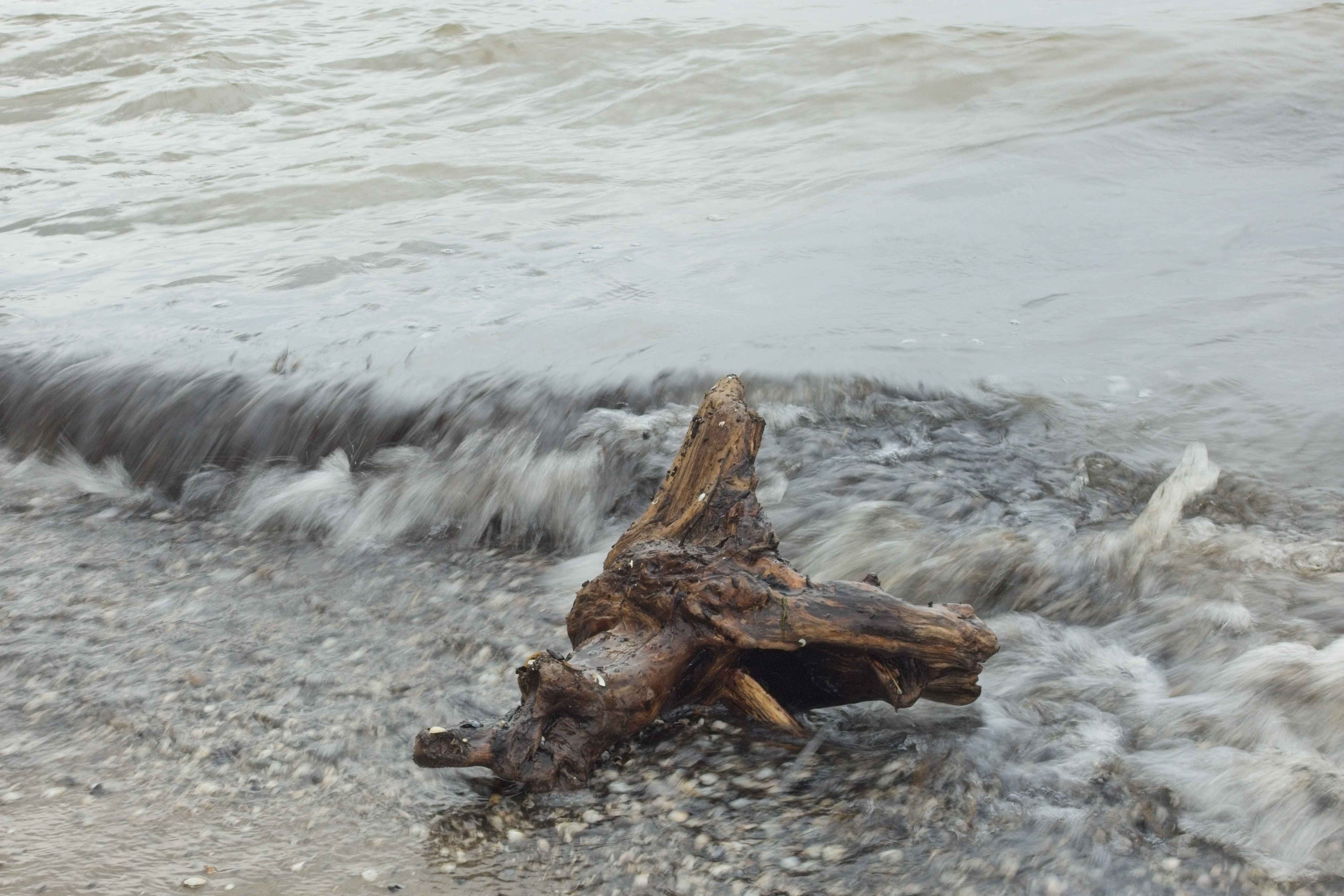
The Setup: Overcompensate Picture this: I'm hiking with my friends near the Baltic Sea on a perfect summer morning. Obviously, a cloudy day, but in general, I'm feeling I can shoot it without any problem — just click the shutter button in shutter priority mode and that's all (spoiler: it's not as easy as I thought). After nearly an hour, I found the perfect light filtering through the mist.
That was the beginning of my adventures in this topic. I'd done a lot of research. I'd read exactly one blog post about waterfall photography that mentioned something about using slow shutter speeds for that "dreamy, silky effect." The article said 1/2 second was the magic number. Armed with this single piece of information and the overconfidence of someone who'd watched three YouTube videos, I was ready to create art.
The Execution: Where Everything Went Wrong
Here's where my expertise in advanced camera operation really shone through: I switched my Canon RP to Shutter Priority mode (because professionals use special modes, right?), dialed in 1/2 second for the shutter speed and lined up my shot.
The sea waves looked majestic through my viewfinder. I took a deep breath, pressed the shutter, and held as still as a statue for what felt like an eternity but was actually half a second.
Click.
Perfect. I was basically the next National Geographic photographer.
The Result: Abstract Art I Didn't Ask For
When I reviewed the image on my camera's LCD screen, I discovered I had created something truly unique – if by "unique" you mean "completely unusable." The waves had motion blur, which was the goal, but the entire image was also blurred from camera shake. My "dreamy silky effect" looked more like I'd taken the photo while riding a roller coaster during an earthquake.
The problem wasn't the creative vision – it was the execution. No tripod, unstable stance, and no understanding of how camera movement affects long exposures.
What Shutter Speed Actually Controls
After my sea waves humiliation, I decided to actually learn what shutter speed does instead of just guessing based on one blog post I'd skimmed.
Shutter speed controls how long your camera's sensor is exposed to light. Think of it like blinking:
-
Fast blink (fast shutter speed): You see a frozen moment in time
-
Slow blink (slow shutter speed): You see movement and change
When you use a slow shutter speed like 1/2 second, anything that moves during that half-second gets blurred. This includes:
- Flowing water (good blur) - creates those silky waterfall effects
- Swaying branches (potentially good blur) - can add dynamic movement
- Your slightly shaky hands (bad blur) - ruins the entire shot
- Your inability to hold a camera perfectly still for half a second without a tripod (very bad blur)
The Lesson: Technical Foundation Matters
This experience taught me that understanding basic fundamentals isn't just academic - it's practical. I knew what shutter speed was in theory, but I hadn't connected the dots about how it interacts with camera stability and aperture priority mode settings.
My Improved Approach Now
For Motion Blur Photography:
- Always use a tripod for shutter speeds slower than 1/60s
- Start with faster speeds (1/4s) and work slower as I master technique
- Use my Canon RP's image stabilization when available, but don't rely on it for long exposures
- Check the histogram to ensure proper exposure - shutter priority mode can lead to over/underexposure if you're not monitoring other settings
When Shutter Priority Makes Sense:
- Sports photography (fast shutter to freeze action)
- Creative motion blur (with proper support)
- Panning shots (following moving subjects)
- Any situation where controlling motion is more important than depth of field
For the next few articles, we will cover all aspects in more detail. Stay tuned.